I recently opened my first two pull requests to WooCommerce. Neither is merged yet, but the process taught me more about contributing to WordPress and its ecosystem than any tutorial did. This guide covers how contribution works in WordPress core and WooCommerce, seven ways to start (most need no code), and the exact steps I followed.
Contents
How contributing to WordPress and WooCommerce works
WordPress core, the block editor and WooCommerce are separate projects with separate workflows. Knowing which is which saves hours. You need a free WordPress.org account to log in to Trac and join the Making WordPress Slack, and each team has a blog and handbook on make.wordpress.org.
| Project | Where the work happens | Where newcomers start | Where people talk |
|---|---|---|---|
| WordPress core | Trac tickets and the wordpress-develop repository | Tickets with the good-first-bug keyword | Making WordPress Slack, #core |
| Block editor | GitHub: WordPress/gutenberg | Issues labelled Good First Issue | Making WordPress Slack, #core-editor |
| WooCommerce | GitHub: woocommerce/woocommerce | Issues labelled good first issue | WooCommerce community Slack |
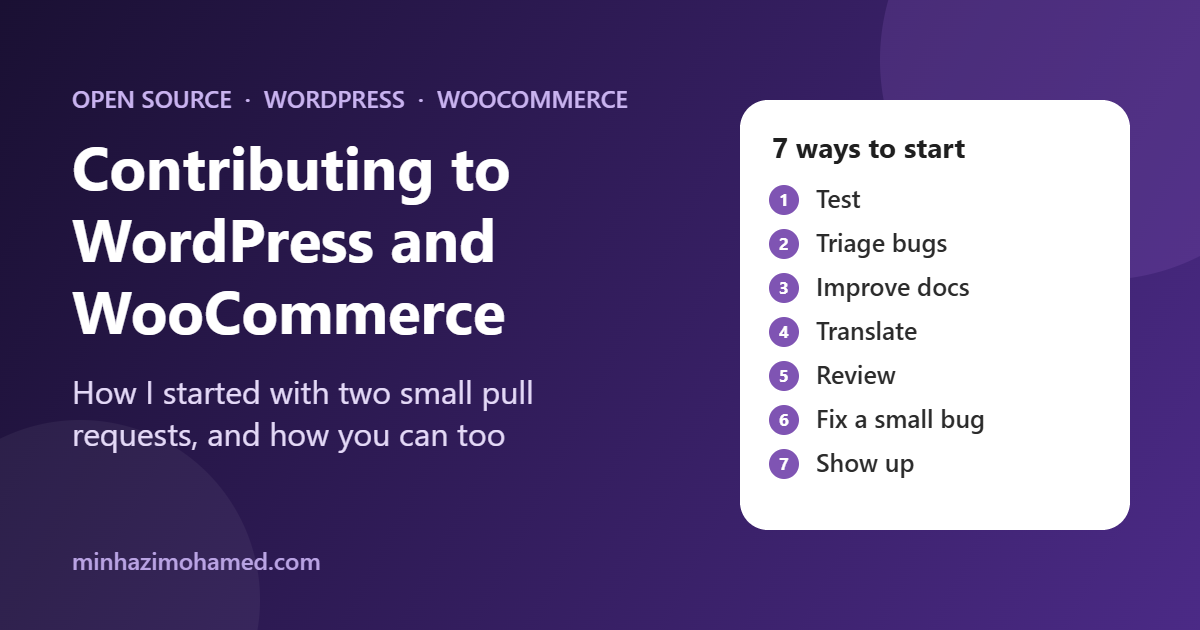
Seven ways to start contributing to WordPress and WooCommerce
Code is only one door. Every project below also needs people who do the following.
- Test. Try beta and release candidate builds and report what breaks. The Test team coordinates this for WordPress.
- Triage bugs. Reproduce a reported bug on your own setup and add the version, steps and result. That alone moves an issue forward.
- Improve documentation. Fix unclear or outdated pages with the Docs team or the WooCommerce developer docs.
- Translate. The Polyglots team translates WordPress, plugins and themes on translate.wordpress.org.
- Review. Read someone else’s patch or pull request and test it. Maintainers are short on reviewers.
- Fix a small bug. This is the route I took, and the one below.
- Show up. Contributor Days at WordCamps and local meetups pair newcomers with people who will walk you through it. Companies can also pledge time through Five for the Future.
The core contributor handbook explains each team in more detail.
My route into contributing to WordPress: two small pull requests
The good first issue label looked promising, but eight of the nine issues I checked already had a claim or a linked pull request. The label tells you what is suitable, not what is available. Searching recent community contribution issues with no assignee and no linked PR found two small, clear bugs.
A missing admin button (#69690). The “Check” button on a refund data tool never rendered, because a script inserted it relative to the wrong parent after an earlier markup change. The fix was two lines.
A swatch outline you could barely see (#69691). Colour swatches in the Product Filters block fell under the 3:1 contrast minimum for UI boundaries in WCAG. I strengthened the outline and added a custom property so themes can set it, taking a white swatch from 1.55:1 to 4.94:1.
Step by step: contributing to WordPress and WooCommerce from first issue to pull request
- Pick something small and recent. Look for community contribution issues with no assignee and no linked pull request.
- Read the whole timeline before you start. Comments and cross-references tell you if it is really free.
- Claim it with a plan. Comment with the root cause you found and the change you intend to make. External contributors cannot assign themselves.
- Read the rules. The WooCommerce contributing guide and the PR template list the changelog entry, testing steps and compatibility notes a reviewer expects. If you build plugins, HPOS compatibility is worth knowing.
- Find the cause first.
git log -Son a distinctive string shows when and why the code changed. - Make the smallest change and read
git diffbefore you commit. - Say what you tested and what you did not, then disclose any AI use in the template.
- Answer reviewers quickly on the same branch.
For WordPress core the shape is the same: find or open a Trac ticket, attach a patch or open a pull request against wordpress-develop that references the ticket, and respond to feedback.
Using AI without handing over the judgement
I used Claude Code throughout, and both PRs disclose it in the template’s “Use of AI Tools” section. It searched issues, read the code and drafted the diffs and PR text. I chose the issues, ran the checks, read every diff and posted every comment myself. It also suggested issues that were already claimed, and named a tool using the reporter’s wording instead of the label in the code. I caught both by reading the timeline and the code. An AI review is not a human review. I wrote about my wider workflow in using AI coding agents on real WordPress projects.
Where things stand
Both pull requests are open and waiting for a human review, and continuous integration shows no failures. Next, I will respond to review feedback and pick another small issue. The best way to begin contributing to WordPress is also the smallest: pick one item from the list above and do only that.
Frequently asked questions
How do I start contributing to WordPress?
Create a free WordPress.org account, join the Making WordPress Slack, and pick a team that matches your skills, such as Core, Test, Docs or Polyglots. For code, look for Trac tickets with the good-first-bug keyword and read the core contributor handbook.
Do I need to be a developer to contribute to WordPress or WooCommerce?
No. Testing, bug triage, documentation, translation and reviewing other people’s work all help, and most need no code.
How do I contribute to WooCommerce?
Find a small issue on GitHub, check its comments and linked pull requests for existing claims, claim it with a comment naming the root cause, make the smallest fix, and open a pull request with the template filled in and a changelog entry.
How do I claim an issue?
Comment on the issue, name the root cause you found and say what you plan to change. External contributors cannot assign themselves.
Do I have to disclose AI use in a pull request?
The WooCommerce pull request template has a “Use of AI Tools” section where you state which tools you used and to what extent. You stay responsible for the code.
Leave a Reply