
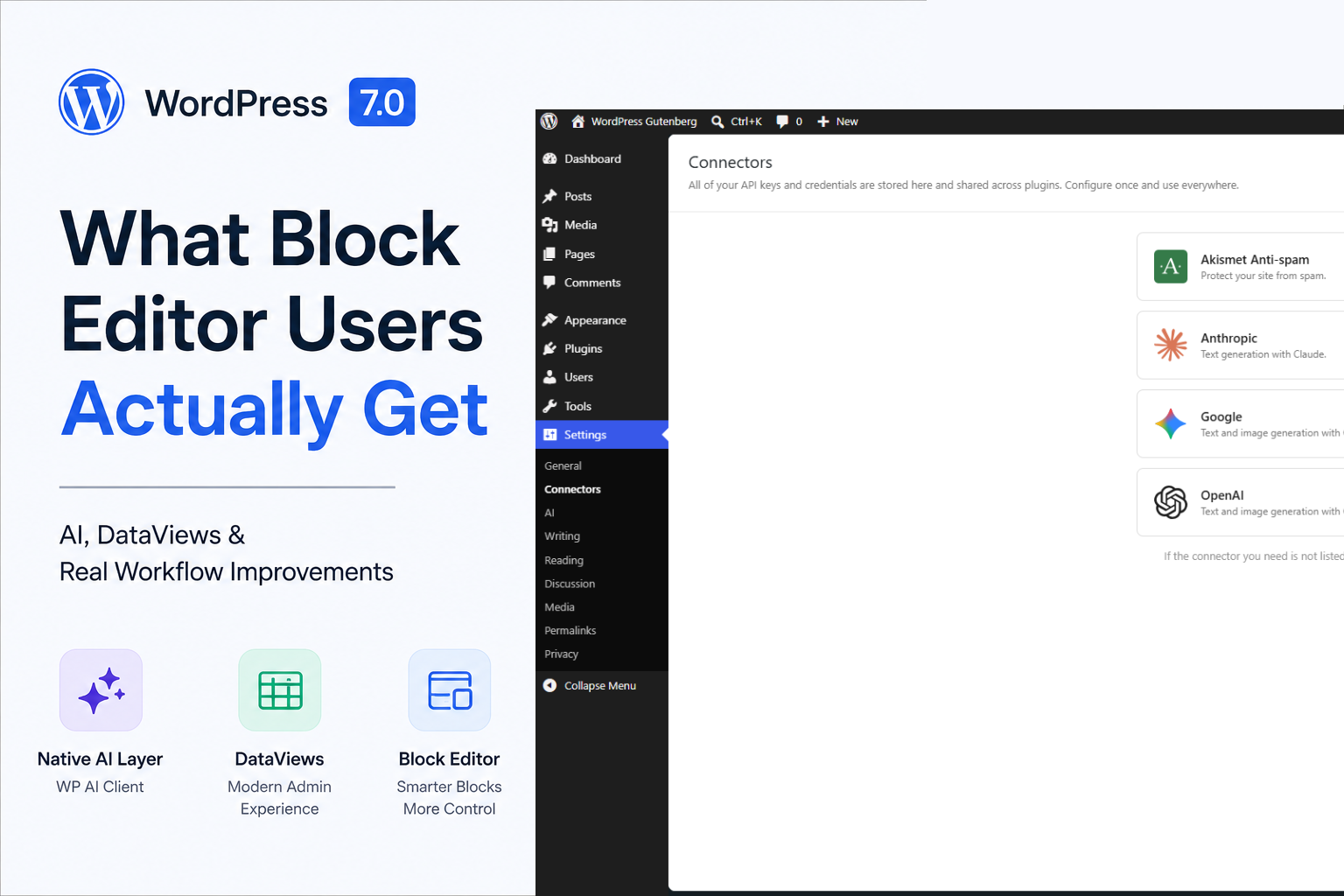
TL;DR: WordPress 7.0 officially launches on May 20, 2026. Real-time collaboration was pulled just days before release because it was not stable enough for production. What is shipping is still important: a native AI layer through WP AI Client, a refreshed admin experience powered by DataViews, and genuinely useful block editor improvements, such as a native Icon block, Breadcrumbs block, and device-based block visibility.
From my experience at WordCamp Asia 2026, WordPress 7.0 became one of those releases I genuinely looked forward to testing. Over the past few days, I installed WordPress 7.0 RC3 on a staging environment to properly explore what is actually shipping, what feels polished, and what still needs work.
At WordCamp Asia, almost every hallway conversation eventually drifted back to the same topics: AI built into WordPress core, MCP support, real-time collaboration, and whether this would finally become the release that modernises the overall WordPress experience.
Since I work with the block editor daily across client projects, custom WordPress builds, and hosting-related workflows, I wanted to properly test RC3 myself and break down what WordPress 7.0 actually delivers, what got delayed, and what block editor users should realistically expect when upgrading.
This is not meant to be another recycled press release or hype article. These are my thoughts after actually installing and testing WordPress 7.0 RC3 in a real-world environment before release.
Real-Time Collaboration Was Pulled Before Launch
Let’s start with the feature everyone was waiting for
Real-time collaboration was originally expected to be the headline feature of WordPress 7.0. The idea was simple: multiple users editing the same post simultaneously, similar to Google Docs.
But, a few days ago, Matt mentioned that WordPress 7.0 will not ship this feature.
According to WordPress leadership, the concerns were related to race conditions, server load, memory efficiency, edge-case bugs, and issues discovered through fuzz testing. In simple terms, the feature was not stable enough to safely ship to millions of production websites.
Personally, I think this was the right decision.
A broken collaboration system inside WordPress core could have created content corruption issues at scale, especially for large publishers and agencies managing high-traffic sites. Stability matters more than marketing headlines.
This does not mean the feature is cancelled. Real-time collaboration is expected to be revisited during the WordPress 7.1 development cycle, although realistically, it may land closer to WordPress 7.2 or even early 2027.
For now, post locking works the same way it always has.
If you need collaborative editorial workflows today, the most mature option is still Multicollab. It brings Google Docs-style comments, suggestions, and editorial feedback directly into the block editor. It is not true simultaneous editing, but for most teams, it covers the majority of real-world publishing needs.
Native AI in WordPress Finally Makes Sense
One of the most misunderstood parts of WordPress 7.0 is the new AI integration.
WordPress is not trying to become an AI writing tool.
Instead, WordPress 7.0 introduces WP AI Client, which acts as a shared AI infrastructure layer for plugins.
Before this, every AI-powered plugin handled integrations differently. SEO plugins, writing assistants, image generators, and automation tools all maintained separate API connections to providers like OpenAI, Anthropic, or Google.
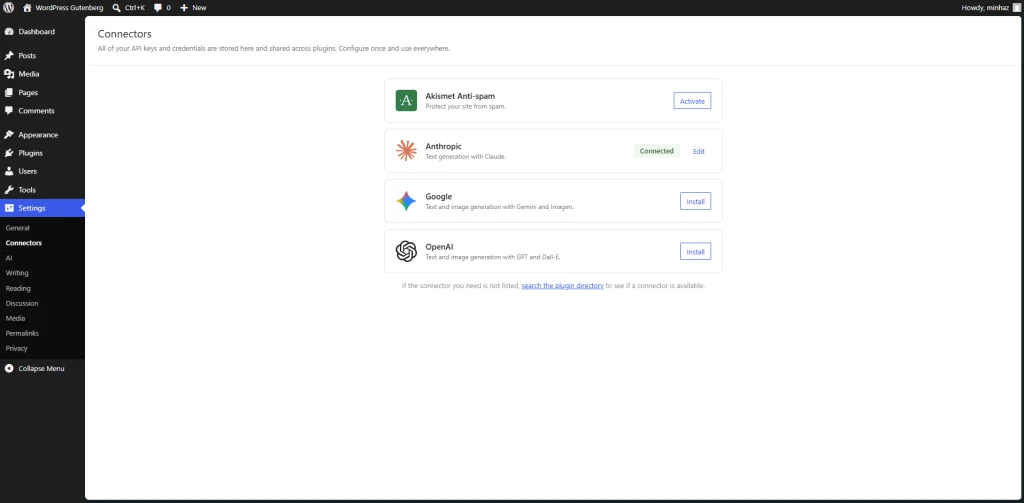
That meant duplicated settings, multiple API keys, fragmented billing, and unnecessary complexity.
WP AI Client changes that.
Now, site owners configure a single AI provider connection inside WordPress, and compatible plugins can share it.
Here’s a practical example.
Imagine you are running:
- An AI-powered SEO plugin
- An AI product description generator
- An AI image generation plugin
Previously, all three may have required separate configurations and separate API keys.
With WordPress 7.0, you configure your provider once under Settings → Connectors, and compatible plugins can use the same shared connection.
From a developer perspective, this is honestly one of the smartest architectural decisions WordPress has made in years.
It standardises how plugins communicate with AI providers without forcing everyone into a single ecosystem.
One important thing to understand:
WP AI Client itself is an infrastructure layer. It does not automatically add AI features to your editor.
To actually use AI inside WordPress, you will still need compatible plugins.
The main official option right now is the AI Experiments plugin from the WordPress AI team, which adds features like:
- Title generation
- Excerpt generation
- AI alt text generation
- Image generation
- Block-level review suggestions
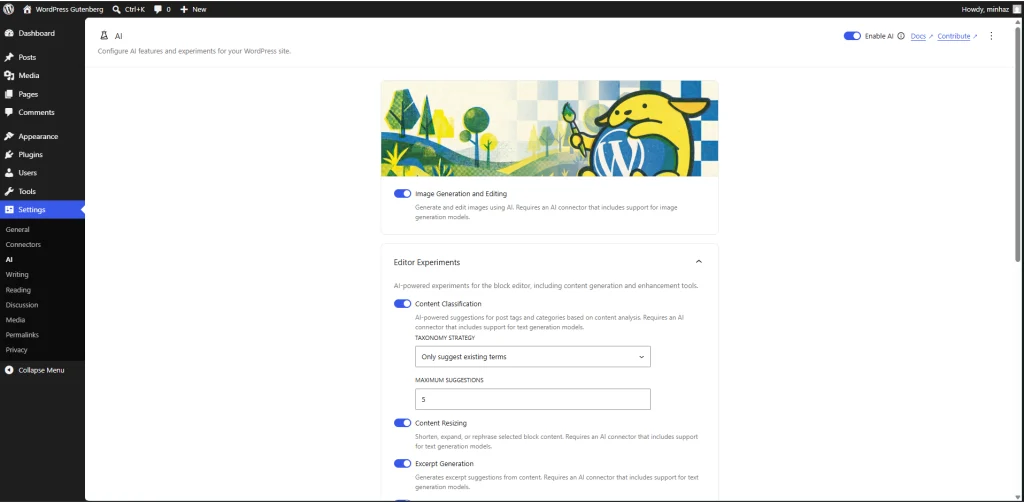
This approach feels much more sustainable than WordPress trying to force AI directly into every part of the core.
The WordPress Admin Finally Feels Modern
If you have used WordPress long enough, you already know the admin experience has looked mostly the same for years. WordPress 7.0 finally changes that.
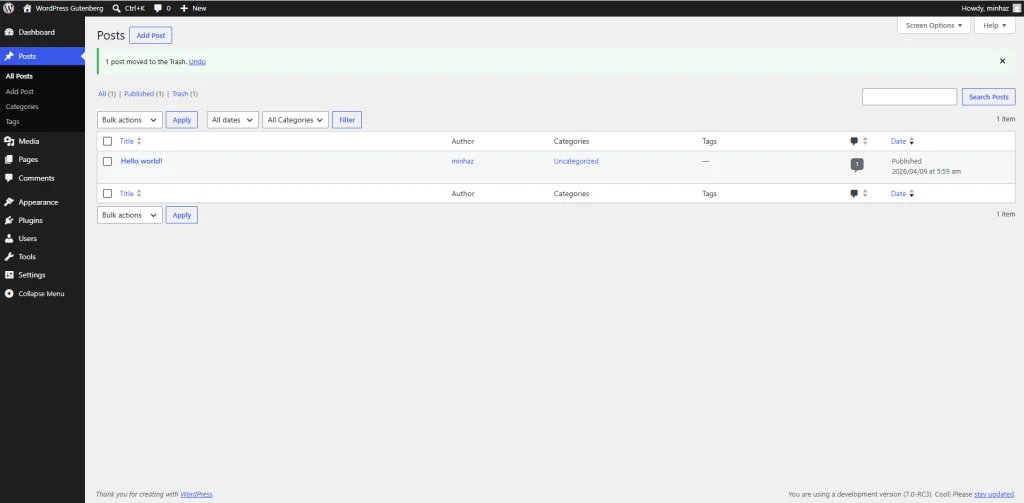
The traditional WP List Tables are being replaced with DataViews, which introduces a much more modern admin experience.
And honestly, this is one of the most underrated upgrades in the entire release.
Managing posts, pages, templates, patterns, and media libraries now feels significantly closer to modern SaaS applications instead of legacy admin tables from the late 2000s.
DataViews introduces:
- Better filtering
- Improved sorting
- Cleaner bulk actions
- More responsive layouts
- Faster navigation workflows
If you manage large websites or content-heavy projects, this is something you will notice immediately.
The closest comparison I can make is that it feels more like working inside Notion or Airtable rather than classic WordPress admin screens.
Block Editor Improvements You Will Actually Use
This is where most block editor users will feel the biggest day-to-day difference.
Native Icon Block
Finally.
A built-in Icon block means users no longer need lightweight icon plugins just to insert simple icons into layouts.
For agencies and freelancers, this also reduces plugin dependency bloat on client websites.
Breadcrumbs Block
This has been requested for years.
WordPress 7.0 now includes a native Breadcrumbs block directly inside the editor.
This is especially useful for:
- Content-heavy websites
- Blogs
- WooCommerce stores
- SEO-focused websites
It also simplifies workflows for theme developers and block-based site builders.
Device-Based Block Visibility
This is probably one of my favourite additions.
You can now show or hide blocks based on device type directly inside the editor.
No extra CSS. No custom classes. No third-party visibility plugins.
For example:
If you have a promotional banner that works well on desktop but looks cluttered on mobile, you can simply:
- Select the block
- Open the sidebar settings
- Set visibility to desktop-only
Done.
This small feature alone is going to save a surprising amount of development time.
Navigation Overlay Improvements
Mobile navigation overlays now offer:
- Better preview controls
- Built-in overlay patterns
- Improved live customization
- Better responsiveness
For block theme developers, this makes mobile navigation significantly easier to manage.
Additional Improvements
There are also several smaller improvements worth mentioning:
- Better visual revision history
- Font management support for classic themes
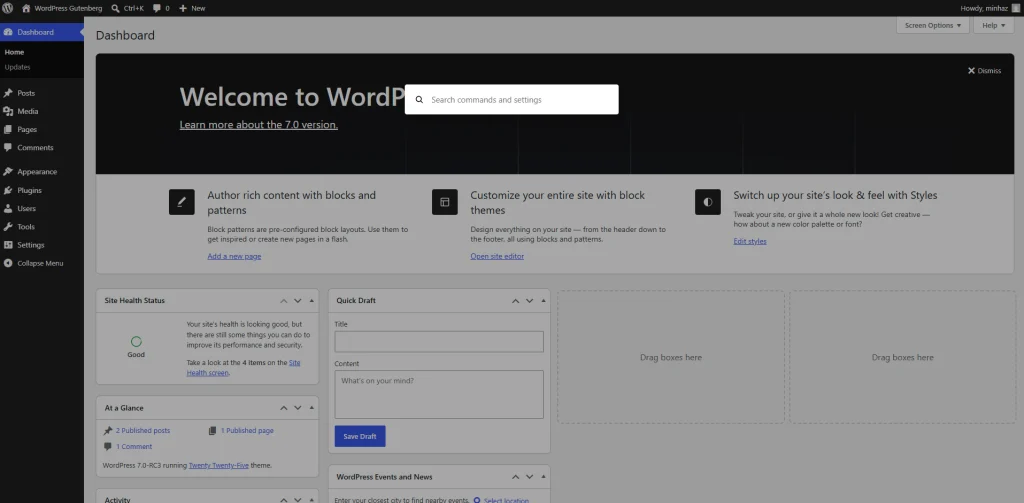
- Command Palette availability across the entire admin
- Improved editor consistency
- Better block interactions overall
The Command Palette especially feels much more useful now that it works throughout the admin instead of being limited to the editor.
What You Should Do Before Upgrading
Before updating to WordPress 7.0, there are a few things worth checking.
The biggest one is PHP compatibility.
WordPress 7.0 officially drops support for PHP 7.2 and PHP 7.3.
The new minimum requirement is PHP 7.4, although PHP 8.2 or newer is strongly recommended.
Pre-Upgrade Checklist
Before upgrading your live site:
- Confirm your server is running PHP 7.4 or higher
- Ideally, upgrade to PHP 8.2+
- Back up your database and files
- Test the upgrade on staging first
- Update themes and plugins beforehand
- Check plugins that rely heavily on classic meta boxes
- Review custom block editor integrations
After upgrading, you can configure your AI provider under:
Settings → Connectors
That is where compatible AI plugins will connect through WP AI Client.
Final Thoughts
WordPress 7.0 is not quite the revolutionary release many people expected.
And honestly, that is okay.
After attending WordCamp Asia 2026, I could see how much excitement existed around real-time collaboration and AI-powered workflows. Expectations became massive very quickly.
But from my perspective, WordPress 7.0 still delivers meaningful improvements where it matters most:
- Better infrastructure
- Better editor workflows
- Better admin usability
- Better long-term AI architecture
The decision to delay real-time collaboration may feel disappointing, but it was the responsible move.
What we are getting instead is a much more stable foundation that improves the daily experience for developers, agencies, content teams, and block editor users.
If you build with WordPress regularly, this is still an upgrade worth making.
Just go into it with realistic expectations.
Leave a Reply